
Track your time.
Bill your clients.
Chronos counts the hours. KairoTime makes them count.
Free to track, forever. Pro unlocks invoicing & export.
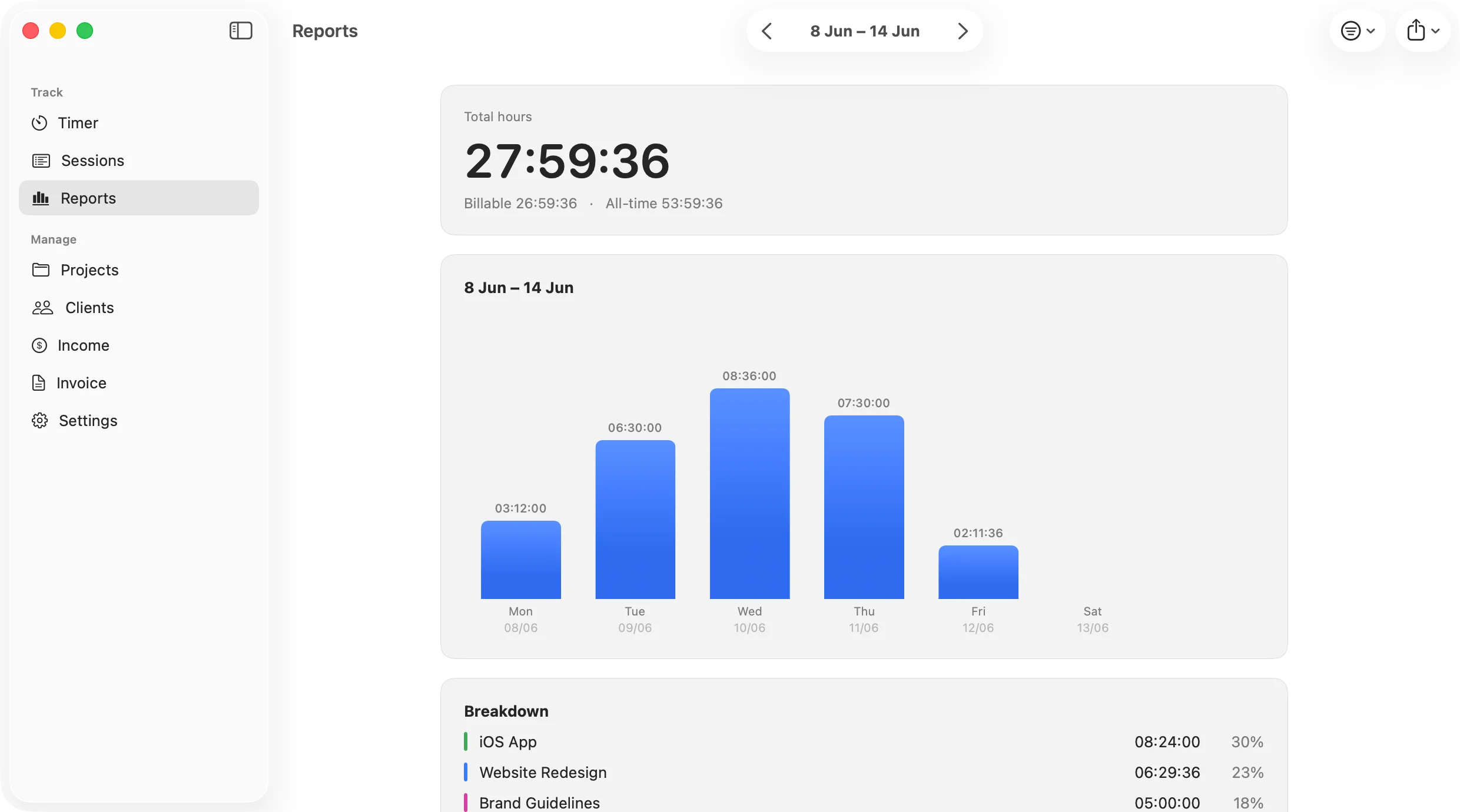
Tracking your time shouldn’t mean handing it over.
Most trackers make you create an account, sync your work to their servers, and still make you export to a separate tool just to send an invoice. KairoTime does the whole loop — track, see where your hours went, bill the client — in one native app that keeps your data yours.
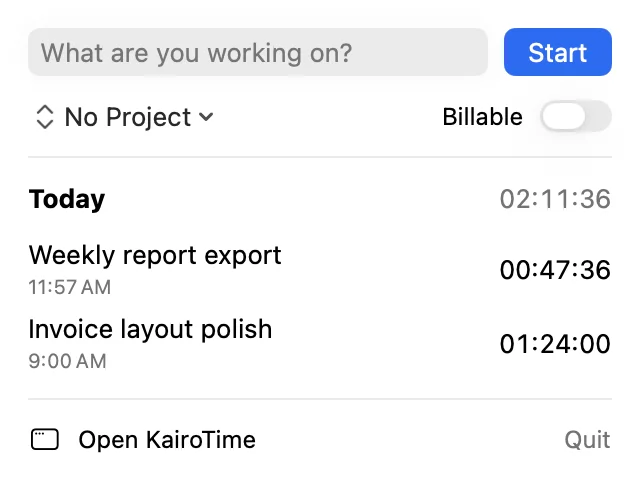
Track from the menu bar.
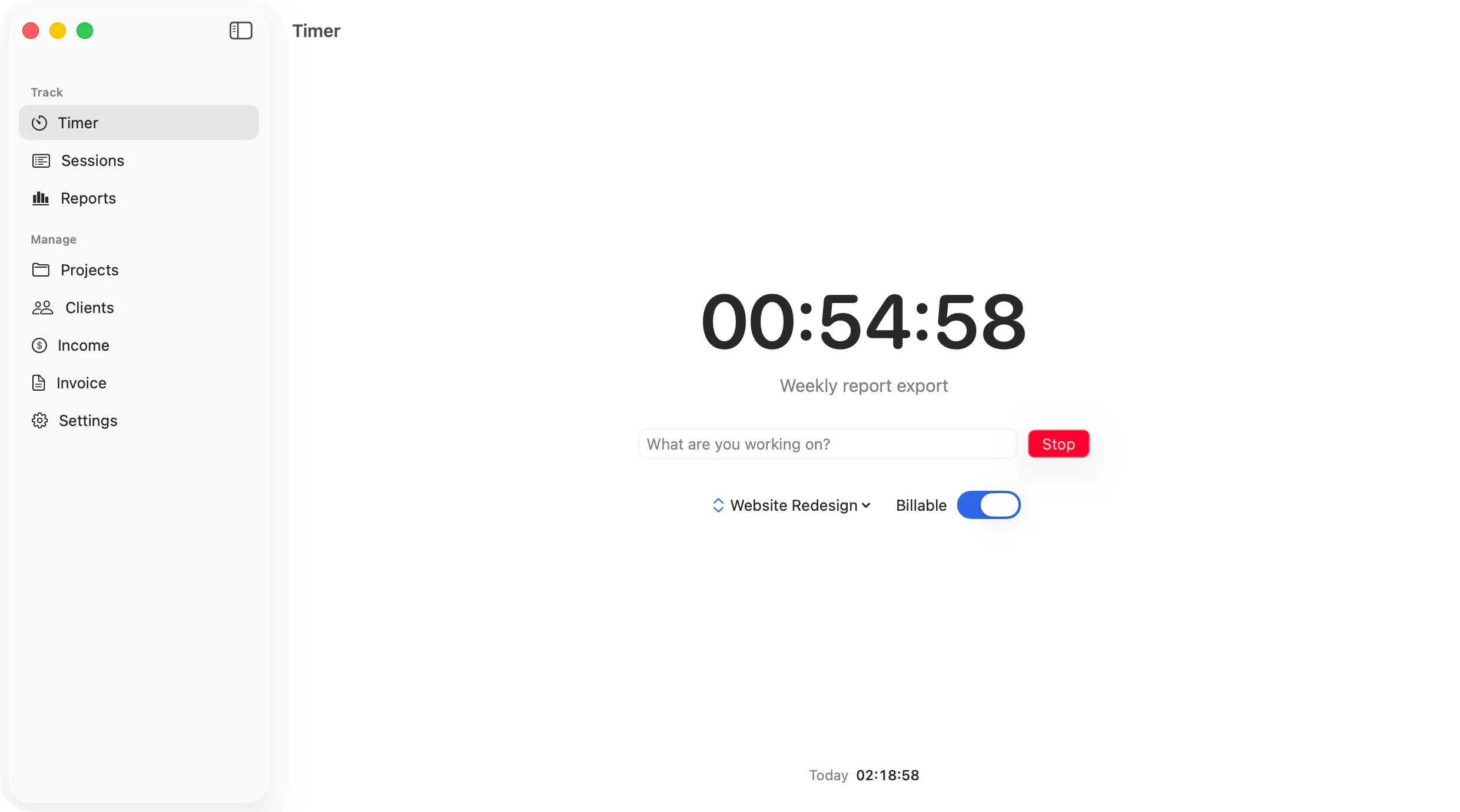
Start a timer without breaking flow, tag it to a project and client, and it’s logged the second you stop. Your running time ticks right in the menu bar.
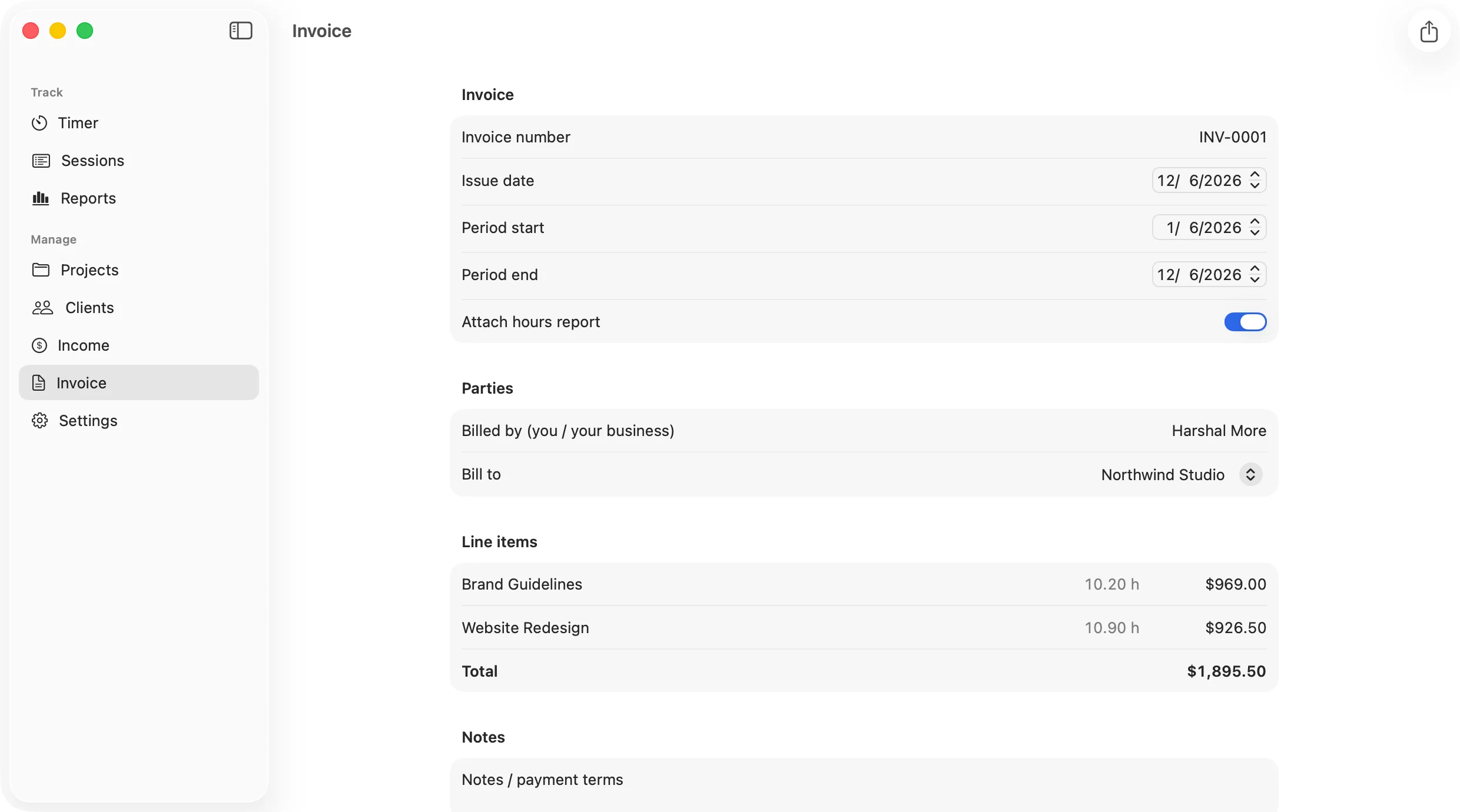
Turn hours into an invoice.
Set rates per project or client, mark time billable, and export a clean PDF invoice — no copy-paste, no second app, no spreadsheet.
Own your data.
Everything lives in a plain SQLite file on your Mac. No account, no sign-in, nothing sitting on someone else’s server. Back it up or export it anytime.
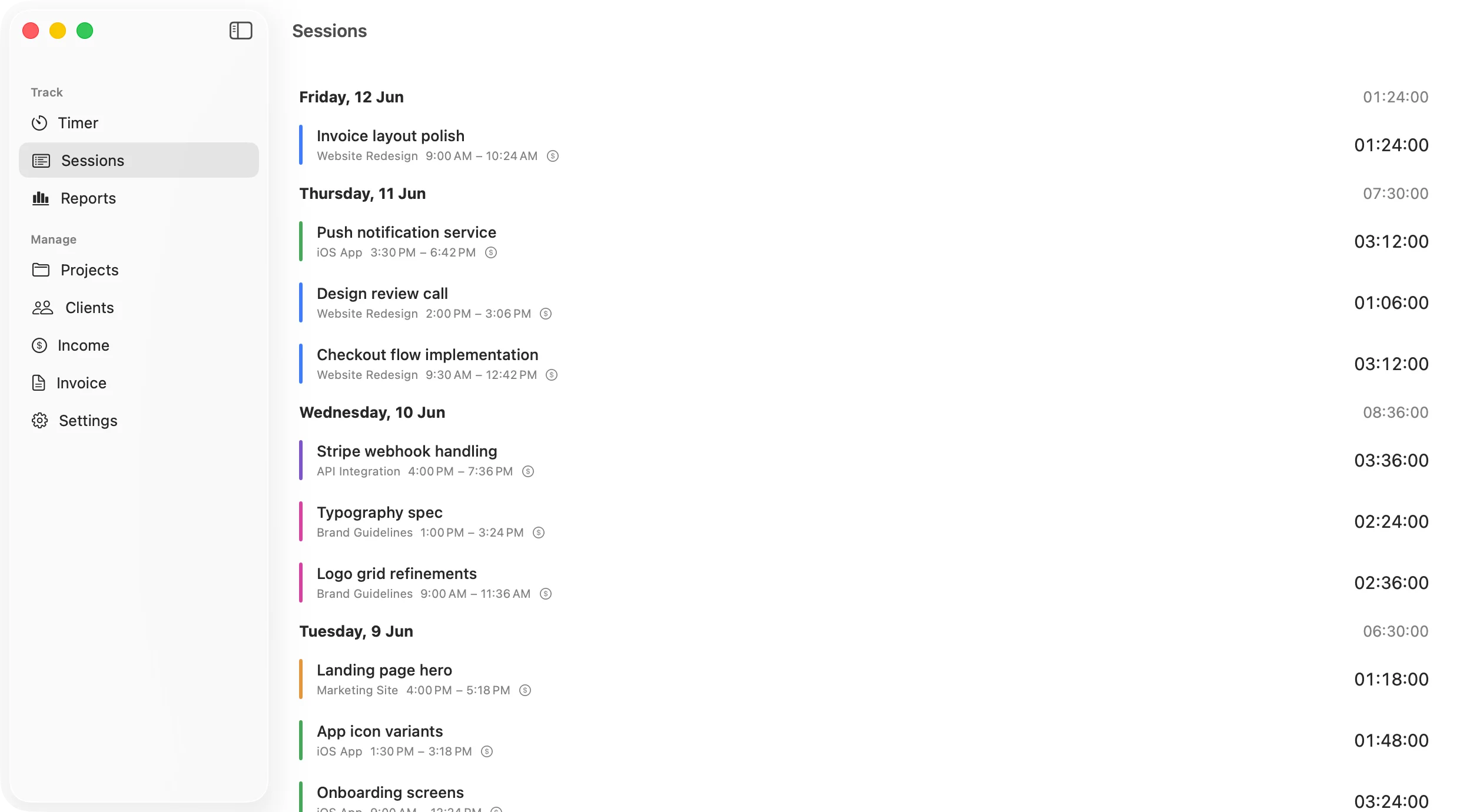
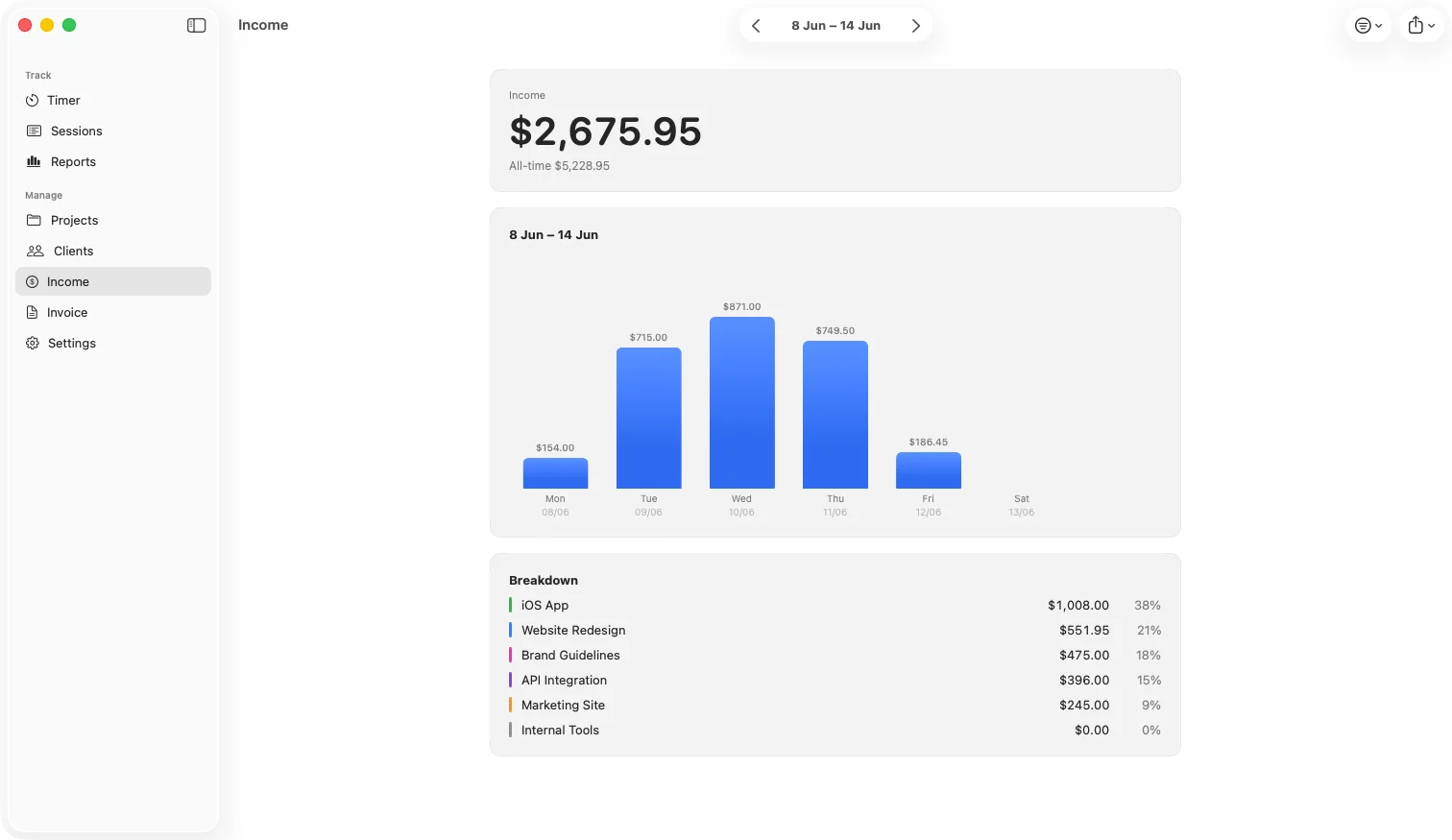
Calm by design.
A native, monochrome menu-bar app that gets out of your way. Built for people who love Things and Bear — not people who want another dashboard.
How it works
-
1
Track
Hit start in the menu bar, pick a project.
-
2
Review
See your week: daily hours, per-project breakdown, billable totals.
-
3
Bill
Generate a PDF invoice or CSV export in one click.
Pricing
Free
$0 forever
- Menu-bar + window time tracking
- Projects & clients
- Sessions list & weekly reports
- Fully local, no account
Pro
$29.99/year 14-day free trial · $2.99/month · or $69.99 lifetime, pay once
- Invoicing (PDF) & CSV export
- Billable rates & income tracking
- Advanced reports & filters
- iCloud sync across your Macs (coming soon)
Invoicing included, no account required, and everything stays on your Mac — from $2.99 a month.
Solo, by design.
For freelancers, contractors, and consultants who bill by the hour — developers, designers, writers, and anyone who’d rather track and invoice in one beautiful native app than wrestle with a cloud dashboard. (Need a team tool? This isn’t it — and that’s the point.)
Questions, answered
Do I need an account?
No. KairoTime runs entirely on your Mac, no sign-in.
Where’s my data?
In a local SQLite file you own. Export or back it up whenever you want.
What does Pro cost?
$2.99 a month, $29.99 a year after a 14-day free trial, or $69.99 once for lifetime. Purchases go through the Mac App Store; tracking stays free forever.
Does it sync?
iCloud sync across your Apple devices is coming as a Pro feature. Today it’s local-first by design.
Is there a team version?
No — KairoTime is built for solo professionals, on purpose.
What about Windows / web?
Mac-only. It’s a native Mac app, and it’s better for it.
Requirements?
macOS 26 or later.